An 8-hour CPAP session with 49 % battery remaining afterward. A diesel heater running two nights off the 12V port. Daily MacBook charging that survives being tossed around in a vehicle.
These are not manufacturer claims – they are actual, real life results. This Jackery Explorer 300 Review examines whether the unit holds up for its intended job: compact, quiet, fast-charging power for small electronics and short-term backup.
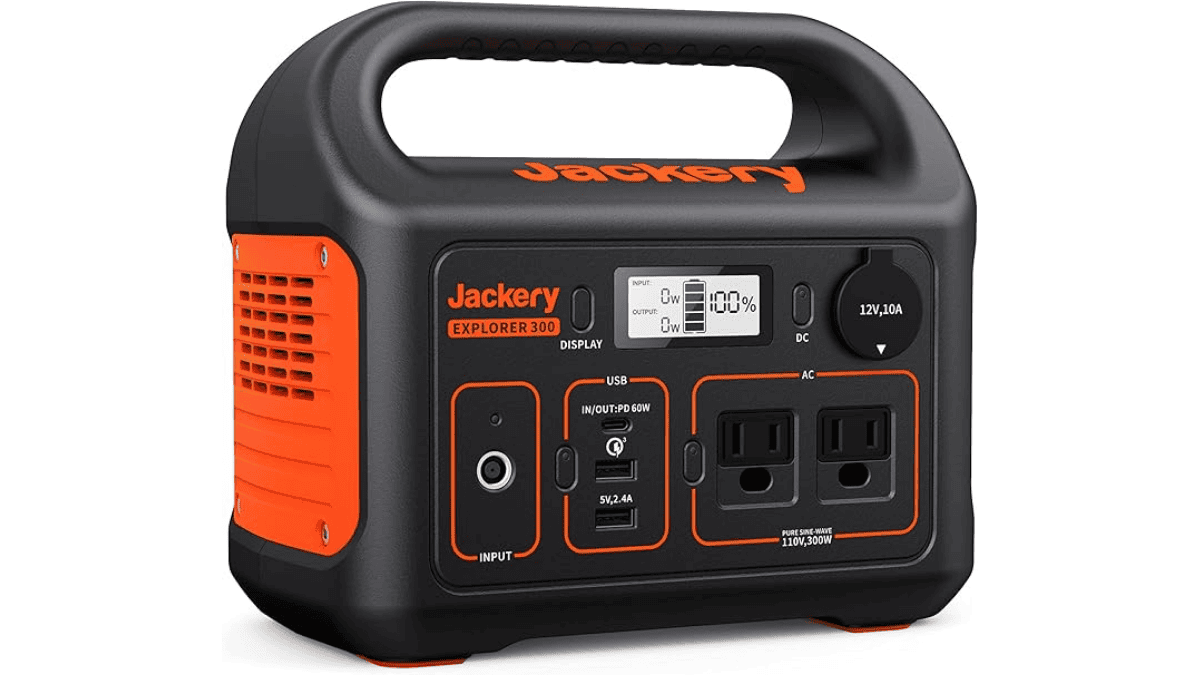
Our post will be focussing on the real reason a lot of you are buying (and those that have already bought) the Jackery Portable Power Station Explorer 300: a lightweight, grab and go power station for phones, laptops, lights, routers, and CPAP-lite use during camping weekends and short outages.
It is not built to run heavy appliances, and that is the point.
The surprise is how fast it can refill for its size when you use the right charging setup.
Specs snapshot
Here are the numbers that matter.
| Spec | Jackery Explorer 300 |
|---|---|
| Battery capacity | 293Wh |
| AC inverter | 300W (500W surge) |
| AC waveform | Pure sine wave |
| Ports | 2 AC outlets, USB-C PD, USB-A, USB-A QC 3.0, 12V car port |
| Devices at once | Up to 6 |
| Battery protection | Built-in BMS |
| Noise | Listed around 36.4 dB |
| Operating temp | -10°C to 40°C (device power range) |
| Cycle life claim | 800 cycles to 80% capacity |
Who it’s for
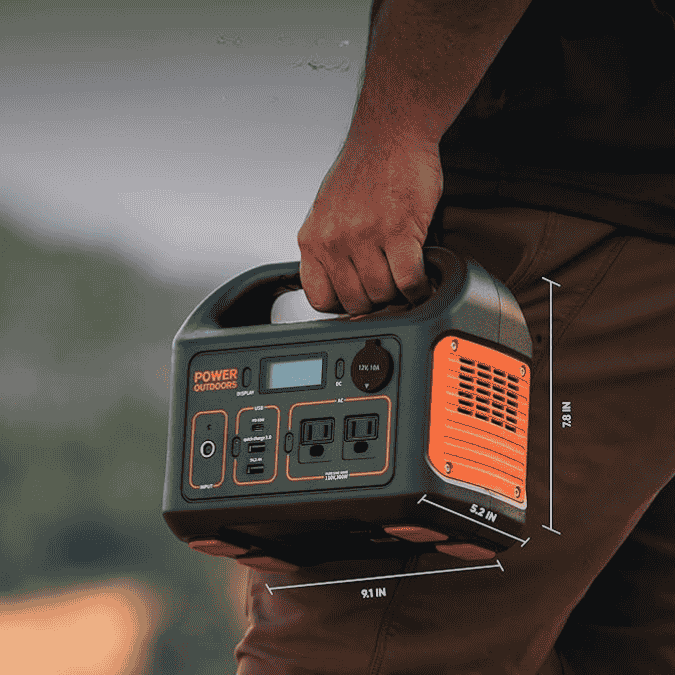
The Explorer 300 makes the most sense for first-time users who want a compact, device-focused power station.
Think weekend camping, road trips, tailgates, remote work sessions, and short outage coverage for essentials like phones, a laptop, a small fan, lights, or a router. Jackery positions it as a small-device station with a pure sine wave inverter and fast recharge options.
It is a weaker fit if your “essential” list includes appliances that pull big watts for long periods. Even those who like the unit warn that it is not meant to run heavy-duty appliances for long stretches.
If you already know you need bigger headroom, that is when you step up to higher-capacity models. The “Explorer 300 vs 500” decision is mostly about capacity and how long you want to run the same devices.
The Explorer 300 is the smaller, lighter, quicker grab.
Real-world runtime
Jackery even publishes a simple working-time formula: working time ≈ 293Wh × 0.85 ÷ your device wattage. The 0.85 factor is a practical allowance for conversion losses.
Below is a quick, user-friendly table using Jackery’s own math model.
| Typical device | Typical watts | Estimated runtime |
|---|---|---|
| Wi-Fi router only | 10W | ~24.9 hours |
| Laptop charging | 60W | ~4.2 hours |
| LED TV (small to mid) | 80W | ~3.1 hours |
| Small fan | 60W | ~4.2 hours |
| CPAP (no heat, no humidifier) | 28W | ~8.9 hours |
Now the real-world part.
CPAP overnight use
Someone measured an AirSense 11 session at 8 hours and 7 minutes with heat and humidity off, and the Explorer 300 showed 49 % remaining after the night. So they calculated roughly 19W average draw in their setup.
That matches the “CPAP-lite” positioning perfectly. It also highlights a key detail: CPAP settings can swing power draw a lot. Heat and humidity usually change everything. That said, using DC instead of AC can improve efficiency in many setups. The same user reported Jackery support confirmed DC should extend runtime.
Can Jackery 300 power a TV?
Yes, as long as the TV stays within the 300W limit.
In practice, most LED TVs in the “camping and tailgate” category land in the 60W to 120W range, depending on size and brightness. Using Jackery’s runtime math, that is usually about 2 to 4 hours.
The practical tip here is brightness. Lower brightness often saves meaningful watts.
Router and low-watt “always on” use
There is one behavior that matters if you plan to run very low loads.
The Explorer 300 can shut itself off after 12 hours when the draw stays under 10W, and the 9W modem can trigger the auto-off once.
For remote work or outage coverage, the workaround is simple. Combine the router with another small load, or pick a device made specifically as a UPS if your goal is “never drop Wi-Fi.”
12V gear, heaters, and camping electronics
There are a lot of positive, strong results on the 12V side.
This portable power station powers diesel heater from the 12V accessory port and can last up to two nights on low to medium settings.
It can also run a home Wi-Fi stack for 9.5 hours down to about 25 %.
So this is exactly where the Explorer 300 “wins.” It is not trying to be a mini home generator. It is a compact battery station that covers the devices people actually bring.
Charging options
Charging speed is a major selling point for this station.
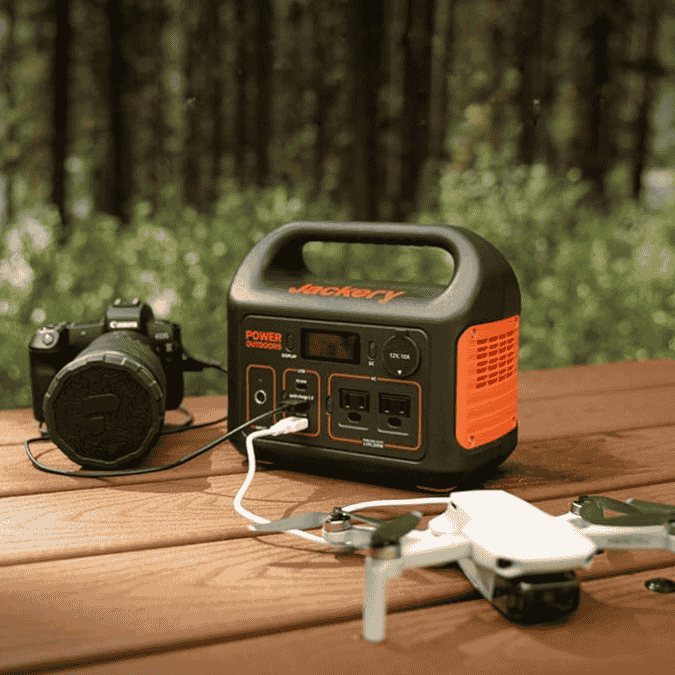
Jackery states a “quick AC charging” approach that can hit about 2.5 hours using a 90W wall charger plus a 60W USB-C PD charger together.
They also list general mode estimates (wall, car, solar) and note 0 to 80 % solar recharge in about 3.5 hours with a SolarSaga 100W panel under strong sun.
| Charging method | What to expect |
|---|---|
| Wall charging | Around the mid single-digit hours, faster if you combine inputs |
| USB-C PD input | Useful for topping up or combining for faster recharge |
| Car charging | Slow but steady for road trips |
| Solar charging | Sun-dependent, 0 to 80% in ~3.5 hours is the best-case claim with SolarSaga 100W |
If you plan to use third-party solar, Jackery’s own help center says panel voltage should be 12V to 30V.
One downside is: the solar connection cord can break within a month, and the support might also take time. But the Jackery team will always replace the cord as they claim, and your unit should work just fine again.
Ports and usability
The Explorer 300 stays simple.
You press the button for the output group you want, then plug in your device. Jackery itself also highlights input and output status, plus its BMS safety layer.
Feature highlights that matter for this audience:
- Two pure sine wave AC outlets for sensitive electronics
- USB-C PD port for modern laptops and phones
- USB-A and USB-A Quick Charge for older cables and faster phone charging
- 12V car port for camping accessories and 12V gear
Owners frequently call out “grab and go” portability and daily-use convenience. Like you can use it almost daily for a phone and MacBook, it charges fast, holds charge well, and also survives being knocked around in a Jeep.
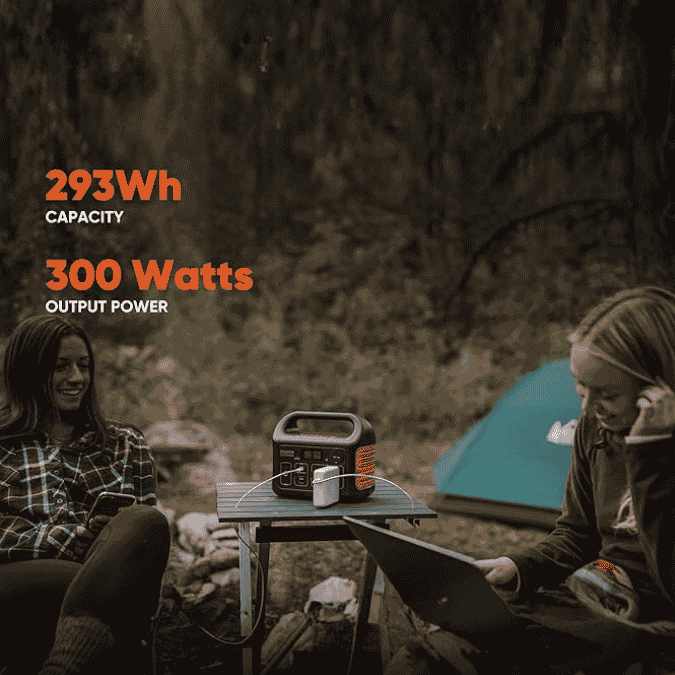
Noise is usually a non-issue at low loads. Under heavier loads, the cooling fan can become audible, which can be a concern.
Pros and cons
| Pros | Cons |
|---|---|
| Fast recharge potential when combining AC + USB-C PD inputs | Some owners report reliability issues over time, including sporadic “drain to 0%” behavior |
| Clean pure sine wave AC output for sensitive devices | No built-in flashlight, which some long-time Jackery users miss |
| Works well for the intended device loads like phones, laptops, and CPAP-lite setups | |
| Strong 12V usefulness for camping gear like diesel heaters in buyer reports |
Using it safely and getting the best life out of it
Do a simple “readiness check” once a month. Top it up, then run a small load for 10 to 15 minutes. This helps you confirm the screen, ports, and battery behavior before you need it.
Avoid treating it like a UPS for always-on networking unless you understand the low-watt auto-off behavior some owners saw.
Keep solar simple. If you use third-party panels, match Jackery’s input requirements and plug size guidance.
Final verdict
This Jackery Explorer 300 Review lands on a clear word. It’s a strong first power station when your needs are realistic: lightweight device power, fast recharging, quiet operation, and simple controls. Jackery’s own specs reinforce that it is designed for small electronics and short runtimes rather than appliance backup.
The most convincing part is how users actually use it. There have been reports of full overnight CPAP sessions with heat and humidity off, steady 12V performance for camping gear, and daily convenience for phones and laptops.
The caution is reliability variance. Sporadic drain-to-zero behavior after about two years might be an issue, and the solar cord issue has also been noted.
For someone who wants compact backup power and camping convenience, Jackery Explorer 300 should be their go-to. Simple as.
However, for fridge backup or true home-outage loads, this is the wrong class of product.
FAQs
Is the Jackery 300 worth it?
It is worth it if your plan is lightweight device power, fast top-ups, and short outages. Jackery’s own specs and usage reports line up in that lane.
Is Jackery a good brand? Are Jackery units worth it?
For this model, the “brand” case comes down to predictable specs, BMS safety, and the stated longevity target. Jackery claims 800 cycles to 80 % capacity on the Explorer 300.
However, unexpected drain behavior after about two years is an issue that has come up, so it is smart to keep an eye on warranty timing and test before a trip.
Can the Jackery 300 power a TV?
Yes, for small to mid TVs within the 300W limit. Runtime is usually a few hours, based on Jackery’s runtime math and typical TV wattage.
Can it run a refrigerator?
Usually, no, not for a standard household refrigerator. If your goal is dependable fridge backup, you typically want more watt-hours and a higher continuous watt rating.