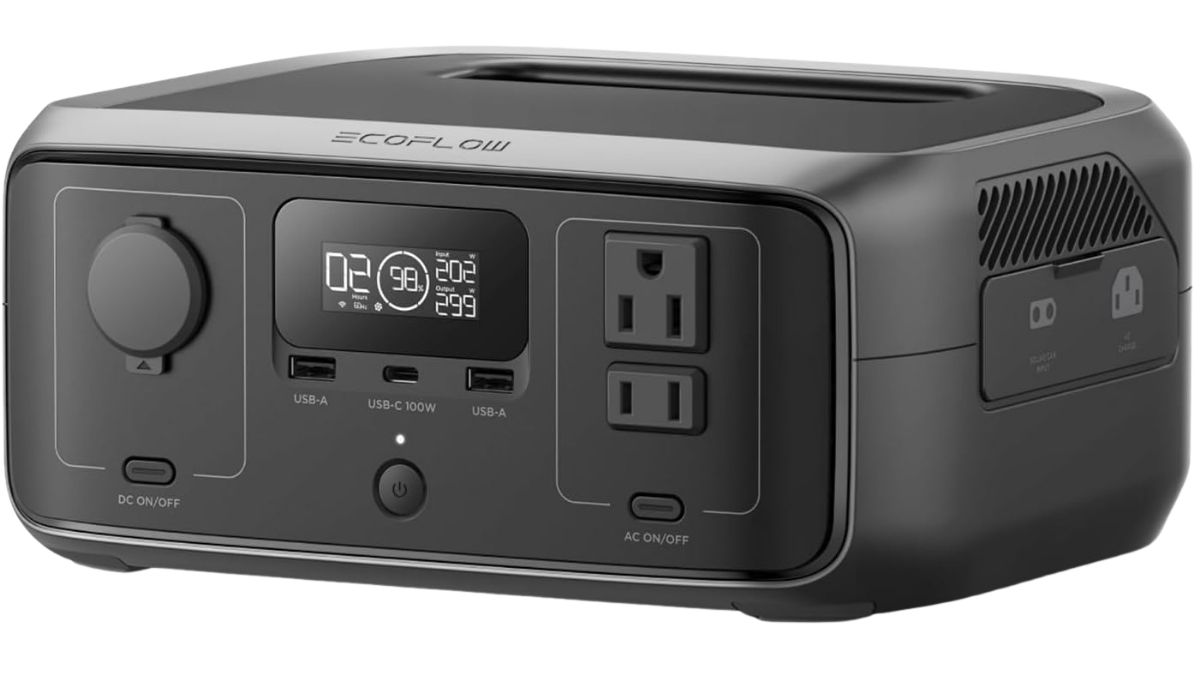
Quick Summary: The EcoFlow RIVER 3 is unusually well matched to nursery electronics. Instead of carrying an oversized 1kWh battery, you get a compact 245Wh LiFePO₄ station engineered for efficient operation with devices drawing under 100W.
The EcoFlow RIVER 3 is a compact portable power station for baby monitor power outage protection when a plug-in nursery camera would otherwise go dark at 2 a.m.
Parents need useful runtime, quiet operation, and reliable transfer, particularly in times of emergency. This review explains where the RIVER 3 excels and the drawbacks that might decide whether it fits your monitor.
Is the EcoFlow RIVER 3 good for a baby monitor power outage?
Yes. The EcoFlow RIVER 3 is a strong portable power station for baby monitor power outage coverage. Its 245Wh battery suits a short or overnight blackout, while the 7.8-pound body remains easy to place safely.
| Quick verdict | Our assessment |
|---|---|
| Best for | Plug-in video monitors, Wi-Fi cameras, routers, modem or ONT gear, parent-unit charging, and small nursery accessories |
| Main advantage | Quiet, long low-load runtime in a genuinely small power station |
| Main disadvantage | The base RIVER 3 uses an under-20 ms EPS transfer, and 245Wh is not multi-day or whole-home capacity |
| Recommendation | Recommended after your exact monitor passes a simulated-outage test |
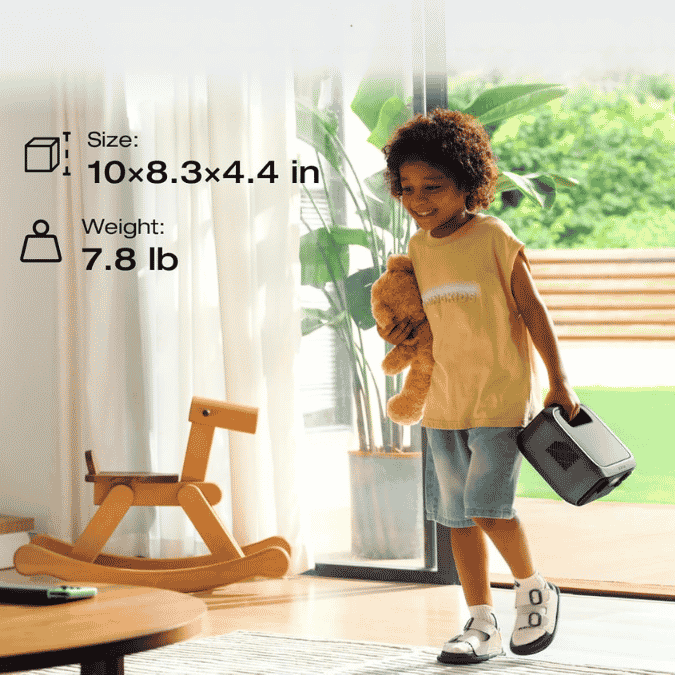
Specs of the EcoFlow RIVER 3 model
Watt-hours describe stored energy, while watts describe output. Therefore, 245Wh estimates runtime, and 300W defines the normal AC load limit.
Here are its specs.
| Specification | EcoFlow RIVER 3 |
|---|---|
| Battery | 245Wh LiFePO4, 3,000 cycles to 80% capacity |
| AC output | Two outlets, 300W total rated output |
| Higher-load mode | X-Boost up to 600W for compatible loads |
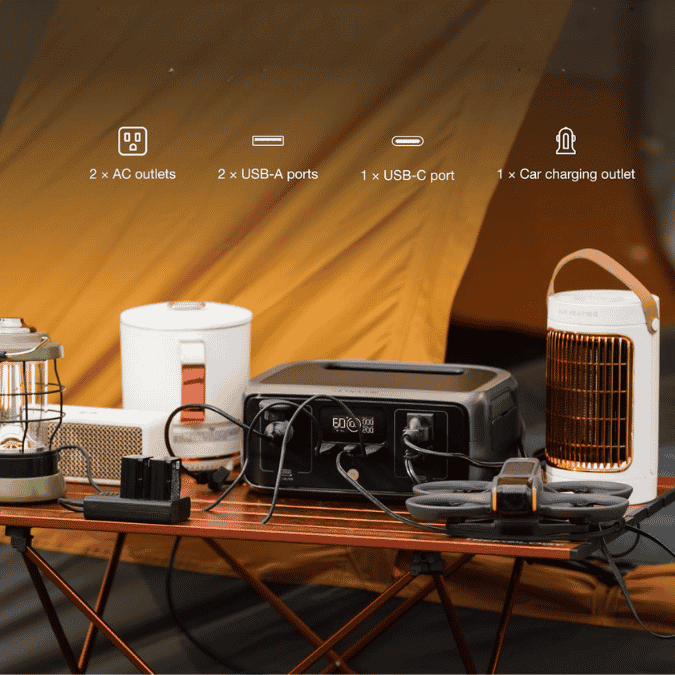
| USB and DC | One 100W USB-C, two USB-A, one 12.6V car outlet |
| Backup transfer | EPS within 20 ms on the base RIVER 3 |
| Recharge | About one hour from a suitable wall outlet |
| Noise | Under 30 dB under stated conditions |
| Size and weight | 10 by 8.3 by 4.4 inches, 7.8 pounds |
Note: Bulky adapters can block the neighboring AC socket, so always check your plugs.
How long will the RIVER 3 run a baby monitor?
This portable power station for baby monitor use offers about 6 to 26 hours. A camera can approach a day, while a complete Wi-Fi setup may last one night or less.
| Blackout setup | Example combined draw | Conservative planning range |
|---|---|---|
| Non-Wi-Fi camera only | 4 to 6W | 20 to 26 hours |
| Camera plus parent-display charger | 10 to 15W | 12 to 18 hours |
| Wi-Fi camera plus router and modem or ONT | 18 to 25W | 8 to 11 hours |
| Full setup plus white noise machine or night-light | 25 to 35W | 6 to 8 hours |
These are estimates. Night vision, temperature, battery age, and adapter losses affect runtime. Therefore, calculate the runtime of your exact nursery setup, then confirm it with a two-hour battery test.
Will the RIVER 3 keep a baby monitor on without rebooting?
Usually, but not for every monitor. The base RIVER 3 transfers within 20 milliseconds, not the under-10 ms specification of certain variants. Many routers and cameras tolerate that gap.
However, adapter hold-up time varies. Some monitors reboot, and there’s also a manual restart requirement with some models. A live test with your exact camera carries more value in this case.
What else must stay powered for a Wi-Fi baby monitor?
A Wi-Fi camera alone is not a complete baby monitor battery backup power outage plan. Your portable power station must also support the router and modem or ONT, while cloud viewing still depends on the provider’s network.
| Monitor type | Equipment that needs backup | What can still fail |
|---|---|---|
| Dedicated non-Wi-Fi monitor | Nursery camera and charged parent display | Camera reboot or depleted parent unit |
| Wi-Fi monitor | Camera, router, modem or ONT, and charged phone or tablet | ISP outage, cloud-service outage, or device reboot |
| Hybrid monitor | Camera, parent display, and network gear for app features | Remote features may fail even if local viewing remains |
For Wi-Fi router backup, place the RIVER 3 where it can support the network chain, not automatically beside the crib. Follow the monitor maker’s cable instructions at all times.
If your network also carries IP cameras, this security-camera system backup post shows how to size the added load.
Is the EcoFlow RIVER 3 safe to use in a nursery?
Yes, for ordinary nursery electronics when placed correctly. The U.S. Consumer Product Safety Commission says every monitor part and cord should remain at least three feet from the crib and out of reach.
Therefore, you safest option is to place the station upright on a stable, hard, dry surface. Keep vents clear, avoid bedding and closed drawers, and secure every cable. Do not use this recommendation for life-support or medical-monitoring equipment, which EcoFlow excludes from the intended use.
How should parents set it up for continuous nursery backup?
- Check every adapter label, then keep the combined steady load below 300W.
- Charge the RIVER 3 fully, install current firmware, and confirm the display and app behave normally.
- Use the included charging cable directly in a properly grounded wall outlet, as the EcoFlow manual instructs.
- Plug in the monitor and any network equipment, turn on AC output, and set AC Timeout to Never in the EcoFlow app.
- Unplug the RIVER 3 from the wall for at least ten minutes, then verify video, sound, alerts, Wi-Fi, and automatic recovery.
- Repeat the test with night vision active, because infrared LEDs can increase the camera’s power draw.
Repeat the check before severe-weather season. A portable power station for power outage use is only dependable when it is charged, its AC output stays enabled, and the whole path has been tested.
What does ownership of the RIVER 3 reveal?
There are positive sentiments mostly. Portability is the standout feature, followed by the app, fast charging, quiet operation, and effective router or computer backup. Some units have also remained in continuous backup service for months without trouble.
That said, minority faults are also important in a nursery. A few concerns include failed displays, loose USB-C ports, 12V accessories that might not start, and occasional AC shutdowns despite disabled timeouts. Any unexplained shutdown makes that unit unsuitable for unattended monitor backup.
Consequently, use the return window as a reliability trial. Run several plug-pull tests and one overnight battery test. If AC drops without a clear overload or timeout, replace or return the unit.
Pros and Cons
| Pros | Cons |
|---|---|
| Under-30 dB operation is nursery-friendly and far quieter than a fuel generator | The 245Wh battery and 300W inverter are not intended for heaters, full-size refrigerators, or multi-day whole-home backup |
| Low-load efficiency suits cameras, routers, and other always-on electronics | Two close AC outlets and a small pattern of display, port, or AC reliability faults make pretesting essential |
| One-hour wall charging and a 7.8-pound body make storm preparation easy | |
| App monitoring exposes live watts, estimated runtime, battery limits, and AC timeout control |
Is a 245Wh small power station enough for your outage plan?
Yes, if the goal is to keep the baby monitor on during a blackout or overnight. This portable power station fits nursery basics below roughly 25W especially well.
However, prioritize the total load. It is a practical power station for a nursery outage plan, yet every low-wattage device reduces runtime. Refrigeration or multi-room coverage calls for larger stations built for home outages.
| Your requirement | RIVER 3 fit |
|---|---|
| Camera and parent display through a typical night | Strong fit |
| Wi-Fi monitor plus router and ONT through a typical night | Good fit after measuring total watts |
| Several nursery essentials for more than 12 hours | Borderline, calculate first |
| Heating, refrigeration, medical support, or whole-home backup | Wrong size and, for medical support, wrong use case |
If 245Wh feels tight, step up to under-$500 models with more overnight headroom. If the capacity fits but the RIVER 3 is not your final pick, compare the strongest compact options under $300.
Should parents get the EcoFlow RIVER 3?
The EcoFlow RIVER 3 is our recommended portable power station for baby monitor power outage coverage when the target is non-medical, low-wattage nursery gear. It is quiet, compact, quick to recharge, and capable of realistic overnight runtime.
The condition is simple: test before relying on it. If the monitor tolerates the under-20 ms transfer and the load fits the runtime range, the model balances capacity, size, and value well.
FAQs
Yes. It supports pass-through operation and battery transfer. Still, set AC Timeout to Never and test regularly instead of assuming it is fail-safe.
It can if the RIVER 3 powers the router and modem or ONT, and the provider remains operational. Camera-only backup may preserve power without preserving video access.
Usually. Their combined draw determines continuous runtime, and the screen or app lets you verify it before bedtime.
No. X-Boost serves compatible higher-wattage appliances. For a baby monitor, low-load efficiency and battery capacity matter instead.
No. It works with many adapters, but test the exact monitor for a reboot, lost pairing, delayed alerts, and failed automatic restart.